
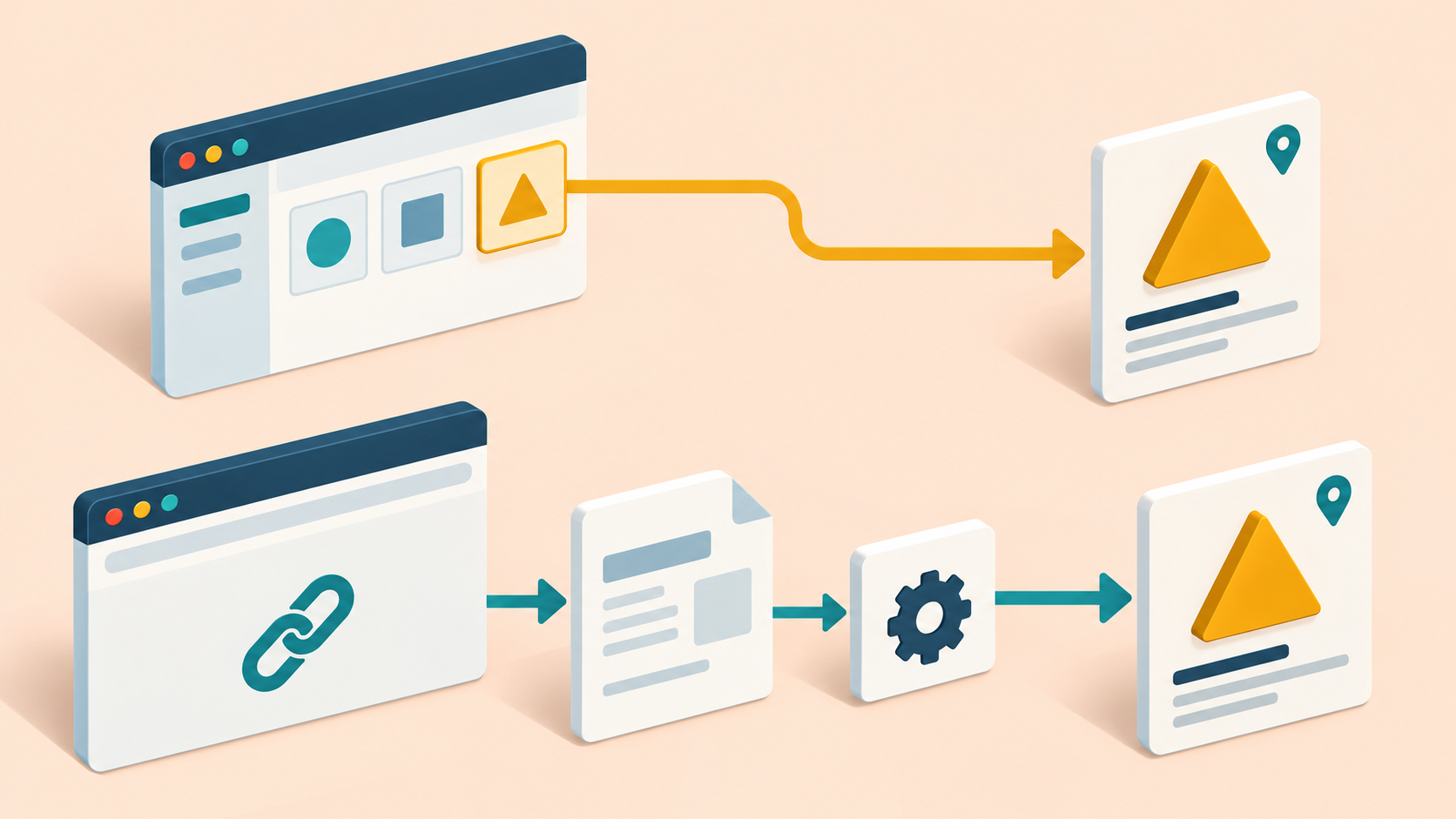
A product page works when reached from the storefront menu, but a copied deep link fails when opened through a regional proxy in a clean tab. Do not assume these are the same entry path. Internal client navigation can reuse an already loaded application; direct entry must load and initialize it from the requested URL.
This guide proposes a small authorized test on an owned staging single-page application. Use public or synthetic read-only product fixtures. It reports no measured proxy compatibility or production routing result.
1. Identify the site's supported routing contract
Record the exact supported URL, including origin, path, query and fragment, plus expected product ID, locale and market. Confirm whether the application uses path-based routing, fragment-based routing or another documented scheme. Do not invent a hash URL for a site that does not support it.
MDN explains that a URI fragment is processed by the client and is not sent in the resource request. It also describes how SPAs can update content and session history without a full page navigation. Consequently, a successful in-app transition does not alone establish that direct nested-path entry works.
Define the expected initial document response and the final application outcome separately. A 200 response carrying an application shell is not proof of the intended product, and a product-not-found view is not the same as a failed document load.
2. Establish the internal-navigation control
- Open the owned landing page in a clean authorized profile.
- Use the ordinary product link to reach a harmless fixture with a unique marker.
- Record the resulting full address and the actual product, locale and market.
- Capture the relevant document, script and read-only data outcomes without secrets.
- Wait for the matching product state, not merely an idle animation or visible shell.
Save the copied URL exactly as the application produces it. Preserve required query parameters; remove credentials or private tokens by selecting a different public fixture rather than publishing a sanitized URL that no longer represents the tested route.
3. Test direct entry and reload independently
Use a separate clean profile to open the copied URL directly. Record the initial document request, response type, final address and any redirects, then verify scripts and data complete the intended product view. Reload that route in a separate case and check the same identity.
If the initial document is rejected before the application loads, inspect the owned ingress and route-serving configuration. If the shell loads but scripts fail, check their actual resolved asset URLs and response types. A nested URL can expose an unintended relative asset path; do not assume every script error is a proxy problem.
If scripts run but the wrong product appears, investigate router parsing, required query state, locale selection and data mapping. Classify the first failed boundary rather than treating every blank page as a document 404.
4. Distinguish path and fragment observations
For a supported path route, confirm which nested path the server actually receives and whether its declared response lets the client initialize correctly. For a supported fragment route, record the base document request separately from the client-side fragment interpretation.
A simple HTTP fetch of the resource cannot validate the browser's fragment-driven product state. Conversely, a screenshot of the final hash view does not prove the server received that fragment. Keep receiver logs and browser address evidence at their respective boundaries.
On an owned deployment, any fallback change must respect the application's route scope. Do not solve every failure by returning the HTML shell for all URLs: missing assets and API requests need their documented behavior. Check that a script URL does not receive HTML disguised as a successful asset response.
5. Add locale and invalid-route controls
Run one supported localized deep link with a known product and market. Compare direct entry, reload and internal navigation using independently reset profiles. If a stored language or market preference overrides the URL under the contract, record that input rather than silently mixing clean and returning sessions.
Use an owner-approved nonexistent product or unsupported route as a negative fixture. Require the documented HTTP and application-level result, including an understandable not-found state where applicable. The home page or a stale previous product is not a correct substitute just because it returns 200.
If a redirect legitimately selects a canonical URL, verify its final product and language and retain the original-to-final mapping. Do not claim link preservation while dropping a required query value or landing on a different market.
6. Compare regional routes with the same URL
The 98IP dynamic residential IP page is relevant when selecting access for authorized regional website checks. Confirm current access and account settings through the API configuration page. Regional access does not define the site's router or guarantee its chosen locale.
- Internal control: exact URL and marked product agree.
- Clean direct entry: initial document and final view meet the contract.
- Reload: the nested route initializes without prior in-memory state.
- Assets and data: required resources have the expected response types and identity.
- Localized route: product, market and language remain consistent.
- Negative route: documented not-found behavior replaces false success.
These cases are unexecuted. Keep browser version, fixture, URL and entry mode fixed across an approved baseline and proxy route. Record the initial response, redirect chain, loaded asset paths, final identity and first mismatch. Use only authorized read-only fixtures; do not bypass login or export session data.
FAQ and release checklist
Does a menu click prove a shared link will work? No. Test the fresh entry path and reload.
Does HTTP200 prove the product loaded? No. Verify the current product marker and localized application state.
- Supported routing scheme and full URL are recorded.
- Internal, direct and reload cases use independent controls.
- Document response and final application outcome are distinct.
- Fragment evidence is not confused with server request evidence.
- Assets, locale and invalid routes have explicit acceptance.
- Only authorized fixtures are used, with no universal fallback or untested compatibility claim.
Related Recommendations
- Proxy Pagination Data Integrity: Find Duplicate and Missing Records
- Replay Proxy Requests Safely with Chrome DevTools 152
- How to Prevent Clock Skew from Corrupting Proxy Latency and Session Metrics
- How to Test Proxy IP Reputation Before Production
- Build a Multi-Region Ad Verification Matrix Without Confusing IP Location with Audience Targeting
- Proxy Extraction API Returns No Endpoints? Separate Empty Results from Errors
- How to Validate a Proxy Provider SLA With Independent Evidence
- Resources Blocked Through a Proxy? Separate CSP from Network Failure
- How to Monitor Residential Proxy Inventory Churn After Purchase
- Diagnose IPv6 Proxy MTU Black Holes Before They Reach Production