
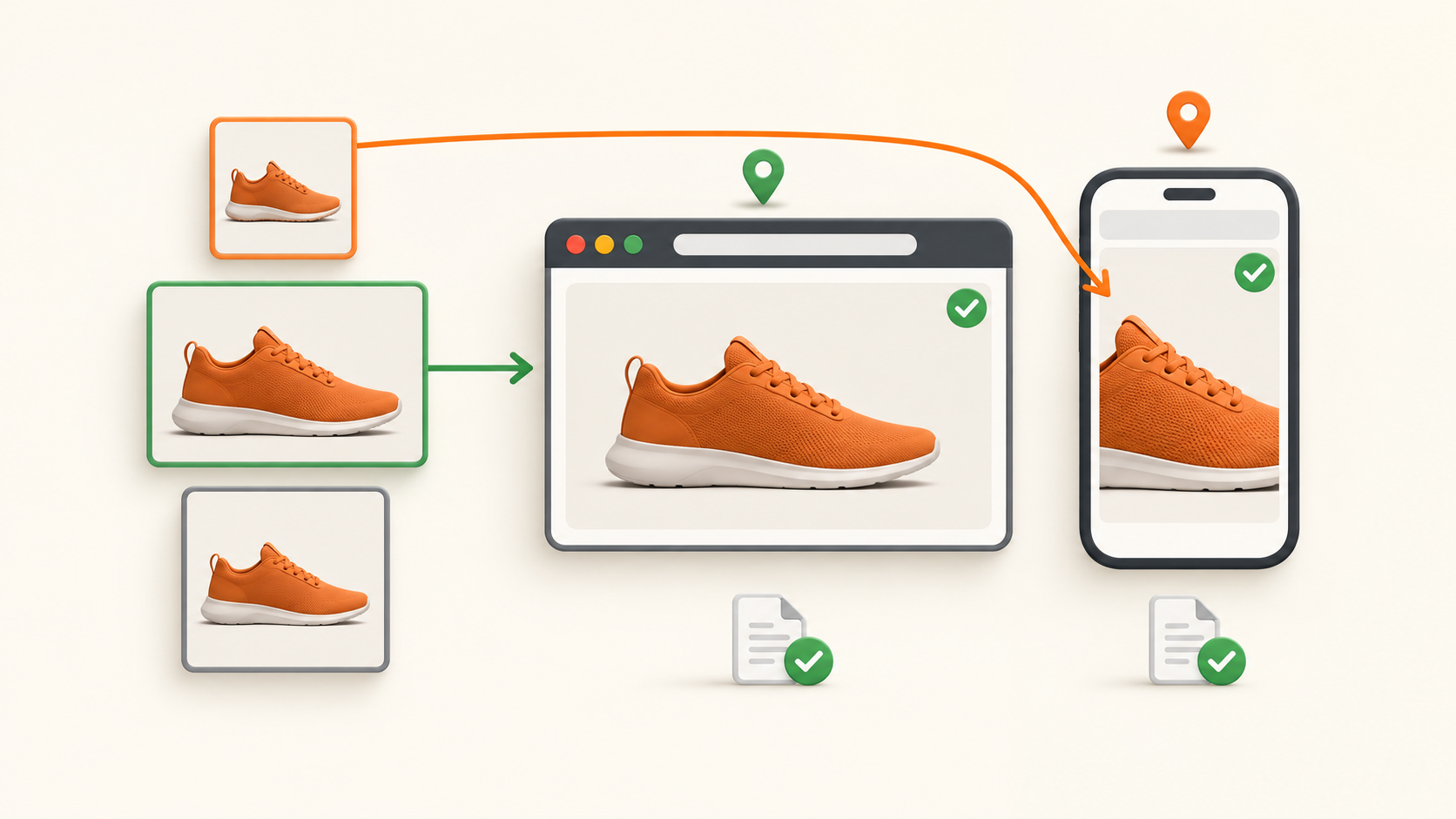
Page access and image delivery need separate evidence
An authorized landing-page test can pass its HTML request while the product image is missing, replaced or wrong for the campaign. Checking the img src attribute alone can also inspect a file the browser did not use. This guide focuses on HTML image elements in owned or explicitly authorized regional tests; it proposes checks rather than claiming measured compatibility.
The HTML Standard defines responsive selection using picture and image candidates, and currentSrc identifies the current image URL. An image's complete flag can also be true when it is broken, so it is not a success verdict. Use these browser signals as evidence in the workflow below, alongside actual visual inspection.
1. Define a small market and display matrix
Choose the approved page and the image's role: hero, product thumbnail or campaign illustration. Specify expected product identity, campaign version, permitted regional variation and acceptable crop. A mobile art-directed crop may legitimately differ from desktop while showing the same intended product; do not demand identical files when the specification allows alternatives.
Fix browser version, viewport, device pixel ratio, language, consent state and authorized account state. Run the same display profiles across the markets being compared. Start each primary case in a fresh test context and record its actual settings rather than treating desktop device emulation as a physical handset test.
2. Trigger the image's intended loading condition
Inspect the owned fixture element with a stable selector, for example an img whose id is hero-test. If it loads only when scrolled into view, perform the same controlled scroll in each case. Wait within a chosen finite budget for the page's relevant loading and selection to settle; a screenshot taken before that point is an observation of a transient state, not proof of a failed route.
For an application that replaces images after consent or client rendering, record the state change and inspect the element again. Do not call a lazy image missing simply because it was never given its intended loading trigger. Conversely, do not allow an unbounded wait to hide a reproducible delivery failure.
3. Read the selected URL, then match its request
On your owned fixture, a read-only console expression such as document.getElementById('hero-test').currentSrc identifies the selected asset. Record it with the element's declared src, candidate list and relevant picture conditions. After a viewport change, capture the new selection rather than reusing the earlier URL.
Match the selected asset to browser network evidence: requested URL, any redirects, final response, resource timing and whether it was served from cache or by a service worker. A separate command-line GET of that URL can help diagnose a server response, but it does not reproduce the browser's cookies, selection or loading context and is not a substitute for this match.
4. Check decoding and the actual product shown
Where the browser supports the image decode method, await document.getElementById('hero-test').decode() within the test's timeout and record fulfillment or rejection. Capture the settled element and inspect its content. A successful decode still cannot establish that the right product or campaign was delivered.
Record naturalWidth and naturalHeight as browser-reported intrinsic dimensions, not as a byte count or a universal raw-file pixel measurement. Compare the displayed image with the approved visual reference: identity, region-specific artwork, crop, orientation and placeholder replacement. A decodable generic error illustration should fail the business check even if its transfer returned 200.
5. Establish whether the asset used the intended route
Confirm route evidence for both the page host and the selected image host using a controlled endpoint, origin logs or your approved routing observability. Do not assume that a proxied page means every CDN asset followed the same path. Browser bypass rules, separate hosts and local reuse need to be distinguished from a fresh routed transfer.
Maintain separate cold-context and ordinary returning-context cases. In the returning case, an image can display without a new network transfer; label that as reuse, not a new regional delivery measurement. If temporarily disabling cache or service workers helps diagnosis, record that intervention and repeat with normal behavior restored before acceptance.
6. Test three failure fixtures before rollout
Use an owned fixture with an approved responsive image, then create three controlled alternatives: the selected candidate is unavailable; it returns non-image or invalid bytes; and it returns a valid image of the wrong product. Keep the page itself valid so the report must distinguish page success from these asset failures.
A useful report contains market and display profile, page outcome, selected and final asset URLs, route evidence, network/reuse outcome, decode outcome, visible-content result and a sanitized screenshot reference. The first two failure fixtures concern delivery or decoding; the third concerns campaign correctness. Do not collapse them into one proxy-failure counter.
After a fix, repeat the failed case with the same context and the normal cache policy. Accept only when the chosen image is available, usable and visually correct, and route evidence supports any regional claim. Missing route evidence makes that claim unresolved even if the picture looks right.
Where 98IP fits
Use 98IP dynamic residential IP when the approved matrix needs selected residential market routes, configure only account-supported options, and check the observed route. The website testing use case is relevant when validating your site's regional delivery.
The proxy supplies routing, not browser candidate selection or an image-correctness guarantee. A failure in a CDN rule, signed asset URL, markup or client state requires its own fix. Do not promise that changing exits will resolve it, or infer performance and billing improvements without matched measurements.
FAQ and acceptance checklist
Should I test every srcset candidate? First validate the candidate actually selected in each planned browser context. Test additional candidates as a separately defined coverage task; they are not evidence that the browser used them.
Is a 200 image response sufficient? No. Confirm decoding and the intended visible content, then distinguish fresh transfer from reuse.
Before accepting: fixed market/display contexts, correct load trigger, settled selection, network match, decoding result, approved visual identity, page and asset route evidence, normal cache retest, and sanitized records. This HTML-image workflow does not by itself validate CSS background images or canvas-rendered artwork.
Run only owned or explicitly authorized tests. Avoid real campaign impressions or clicks unless covered by the test agreement, honor access limits, minimize personal data, and redact secret tokens in asset URLs and logs.
Related Recommendations
- How to Forecast Residential Proxy Bandwidth Before Buying a Plan
- How to Test Multipart Upload Integrity Through a Proxy
- SOCKS5 Remote DNS Resolution Test: Verify the Full Proxy Path
- How to Run a Residential Proxy Pilot That Produces a Defensible Buying Decision
- 421 Through a Proxy? Check Target Identity and Connection Reuse
- How to Audit a Proxy Fair-Use Policy Before Hidden Limits Throttle Production
- Script HTTP200 but SRI Blocks Execution? Compare the Release Bytes
- Back Shows the Old Region Through a Proxy? Test bfcache Restoration Separately
- How to Detect Cross-Session Cache Contamination in Proxy Data Collection
- Body Already Read Through a Proxy? Trace the Response Consumers