
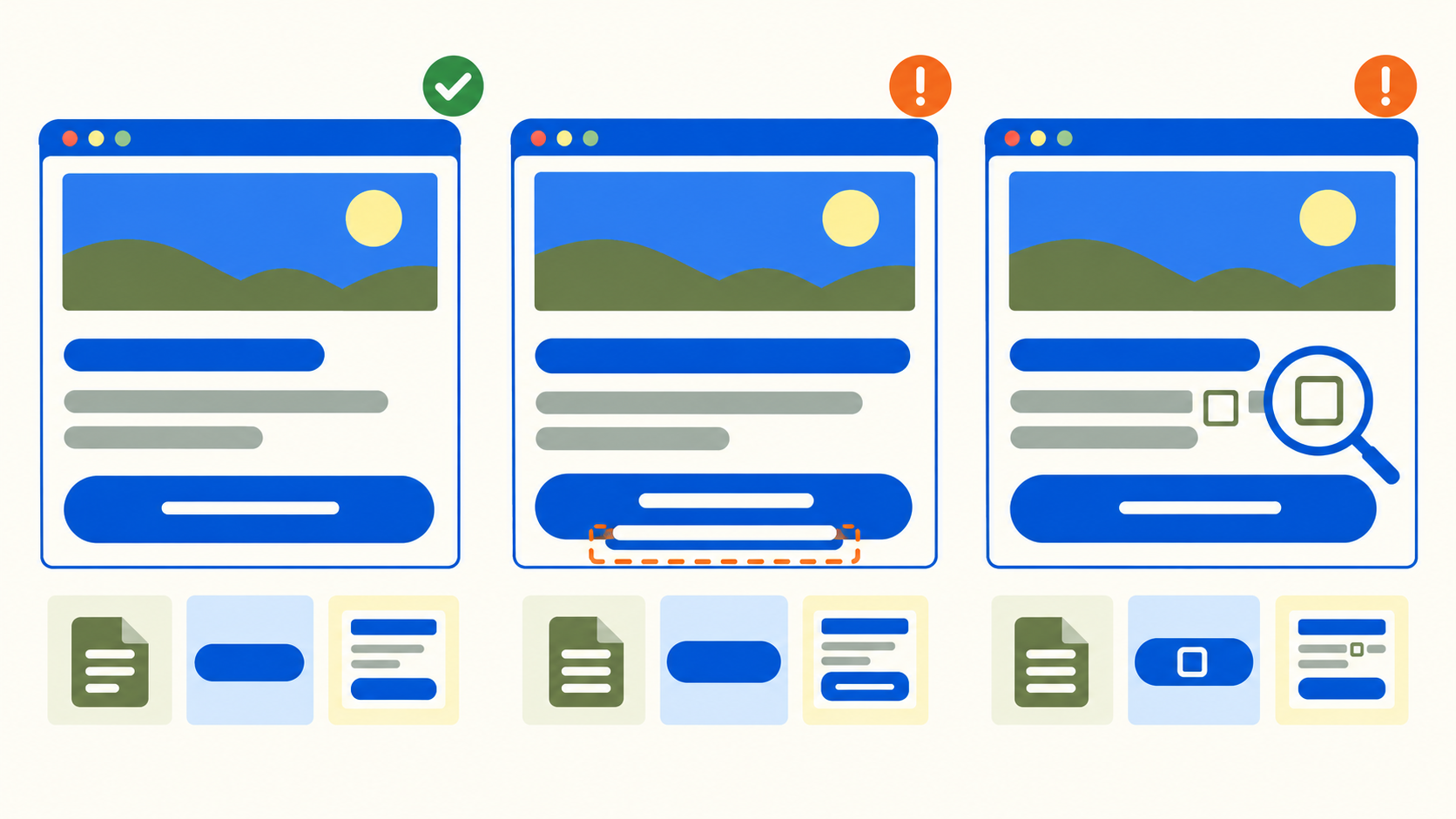
A regional proxy opens the landing page and its font request returns 200, yet the call-to-action wraps onto another line or a Chinese character appears as an empty box. Resource delivery, the typeface actually used, and usable text layout are separate acceptance questions. Test all three before approving a regional release.
This guide describes a repeatable procedure for your own multilingual site or an explicitly authorized staging environment. It does not claim that these tests have already been run on 98IP. A regional route can help expose delivery differences; it does not determine which fonts are installed on the visitor's device.
1. Define the text and states that must pass
Select a heading, a primary button, a price or product identifier, and a validation message from the real page. Keep the exact approved text in a fixture for each language. Include the actual accented letters, simplified or traditional Chinese characters, punctuation, and symbols used by the product. Passing a short Latin sample does not establish coverage for another script.
Agree on acceptable font families or fallback families, relevant weights, and concrete layout rules: the full button label remains visible, a heading does not cover the form, and an error message is readable. Treat an approved fallback as a legitimate state. The goal is not to force one font onto every device but to keep the intended content usable.
2. Build a comparison that changes only the route
- Record the browser version, operating system, installed-font conditions, viewport, zoom, device scale, locale, page build, and test strings. Use the same machine configuration for the initial baseline and proxy comparison.
- Prepare equivalent fresh browser profiles for the baseline and selected region so one run does not borrow the other's downloaded fonts or stored page state. Keep cold-load and repeat-visit results in separate rows.
- Confirm the intended proxy route for the actual test browser. Record the font request's host and whether it was fetched, cached, or supplied locally. Browser proxy settings alone do not prove every separate test process follows the same path.
- Repeat with the same content and observation points. Test another operating system or locale as a separately labeled case, rather than changing it together with the region.
Use the 98IP residential proxy product page to plan the regional route, then verify current region and session options in your actual configuration. The website testing use case matches this task. These pages do not certify a particular font host, browser configuration, or rendering result; this procedure makes no unmeasured performance promise.
3. Capture delivery evidence without declaring a font pass
Open the browser's Network panel before navigation and filter font resources. Record the requested file, final host, response outcome, and cache or local-source observations. If no font request appears, inspect the applied CSS and local source before concluding that the proxy skipped it. The page may not need that font for the selected element.
For a failed request, retain a redacted network or console error category and inspect the site's font URL, access controls, CORS or content-security policy, and response content. A 200 response containing an error document or an unusable font is not a rendering pass. Diagnose the observed failure; do not disable browser security or randomly switch IPs to hide it.
4. Inspect the font used by the exact element
Select the target heading or button in Chrome DevTools, open Elements → Computed, and inspect Rendered Fonts. Record the actual typefaces reported for that element and whether a source is local or network-based where the tool exposes it. Repeat for mixed-script text and the required weight. The CSS font-family list alone is not proof of the face used for every character.
If local installation masks a download defect, use the browser's supported local-font disabling diagnostic in a separate labeled run, then restore normal settings. Do not pass a release solely on a diagnostic configuration that differs from the supported visitor environment.
5. Use font-loading signals with their limits
document.fonts.check() can return true even for a nonexistent font specification, and its text argument does not verify individual glyph coverage. Use it as a loading-related signal, not as proof that the intended face rendered every character.
document.fonts.ready resolves after the document's font-loading and associated layout work has settled. Use a bounded test deadline and record whether that checkpoint was reached; a resolved promise is not a visual acceptance result. After a language switch, lazy-rendered dialog, or other content change, inspect that new state again instead of treating an earlier checkpoint as a permanent guarantee.
Capture an initial visible state and a settled state using the same observation rule in both routes. Record missing glyphs, text disappearance, button dimensions, wrapping, clipping, and overlap at each point. A screenshot taken only after a long arbitrary sleep can conceal the state in which visitors first need to act.
6. Prove that the check catches three different failures
In an isolated owned fixture, deliberately block the test font request and confirm the approved fallback remains readable and the primary action usable. Next, delay the same resource using controlled test tooling and compare the early and settled layouts. Finally, use an owned test font subset that omits a required sample character and confirm the check flags an unapproved fallback or missing glyph. These are suggested exercises, not tests claimed to have been executed here.
Do not require a missing-character box if the browser correctly supplies an approved fallback. The defect is failing the agreed content or layout contract. Restore every test override and rerun the normal configuration after the failure checks.
7. Make a release decision from three evidence columns
- Delivery: the selected resource or valid local source is explained, and failures have a reproducible category.
- Rendering: the inspected elements use allowed typefaces, required characters are readable, and the requested weights are assessed.
- Layout: the initial and settled states meet the button, heading, form, and message requirements.
If only the proxy route fails, compare the retained host, response, and font-source evidence before attributing the problem to the exit IP. If the file arrives on both routes but only one machine differs, inspect its font environment. If the actual face is correct but the button clips, investigate the component's size rules. These patterns narrow the investigation; none alone proves the root cause.
FAQ and release checklist
Can a font request returning 200 close the issue? No. Record actual rendering and layout separately.
Is fallback always a failure? No. Evaluate the agreed fallback, character coverage, and usability for the supported environment.
- Approved language-specific fixtures and allowed fallback states are recorded.
- Route comparisons keep browser, device, content, and cache conditions controlled.
- Delivery evidence, actual rendered fonts, and both layout checkpoints pass.
- Blocked, delayed, and missing-character fixtures expose the expected failures or permitted fallback.
- Overrides are removed and the normal configuration passes again.
Test only authorized pages and font resources, respect font licenses and request limits, and use synthetic or minimized data. Redact credentials and session material from shared evidence. A regional proxy does not grant rights to obtain or redistribute a restricted font.
Related Recommendations
- Proxy 304 Responses: Reuse the Right Local Copy, Not an Empty Body
- How to set up an HTTP proxy server on iPhone or iPad
- How to Test TLS Session Resumption Across Proxy Pool Changes
- How to Estimate Proxy Bandwidth Before Choosing a Plan
- Proxy mTLS Tests: Separate Target Client Certificates from Proxy Authentication
- Can Visitors Reach Every Language URL? A Regional Proxy Audit Before Launch
- Two Localized Submit Buttons, One Wrong Action? Test the Submitter
- Sticky vs Rotating Proxy Sessions: A Practical Selection and Testing Guide
- 415 Through a Proxy? Match the Request Type to Its Actual Body
- How to Normalize IPv4-Mapped IPv6 Addresses in Proxy Logs