
An address form opens through the expected regional proxy, yet a valid test postal code cannot be submitted. Before changing the IP again, establish which country rules the form is applying. Network region, selected delivery country and the browser's validation state are separate observations.
This guide is an acceptance plan for owned or explicitly authorized sites. It uses synthetic address fixtures and a staging receiver; it does not claim executed results, address deliverability or compatibility with every browser.
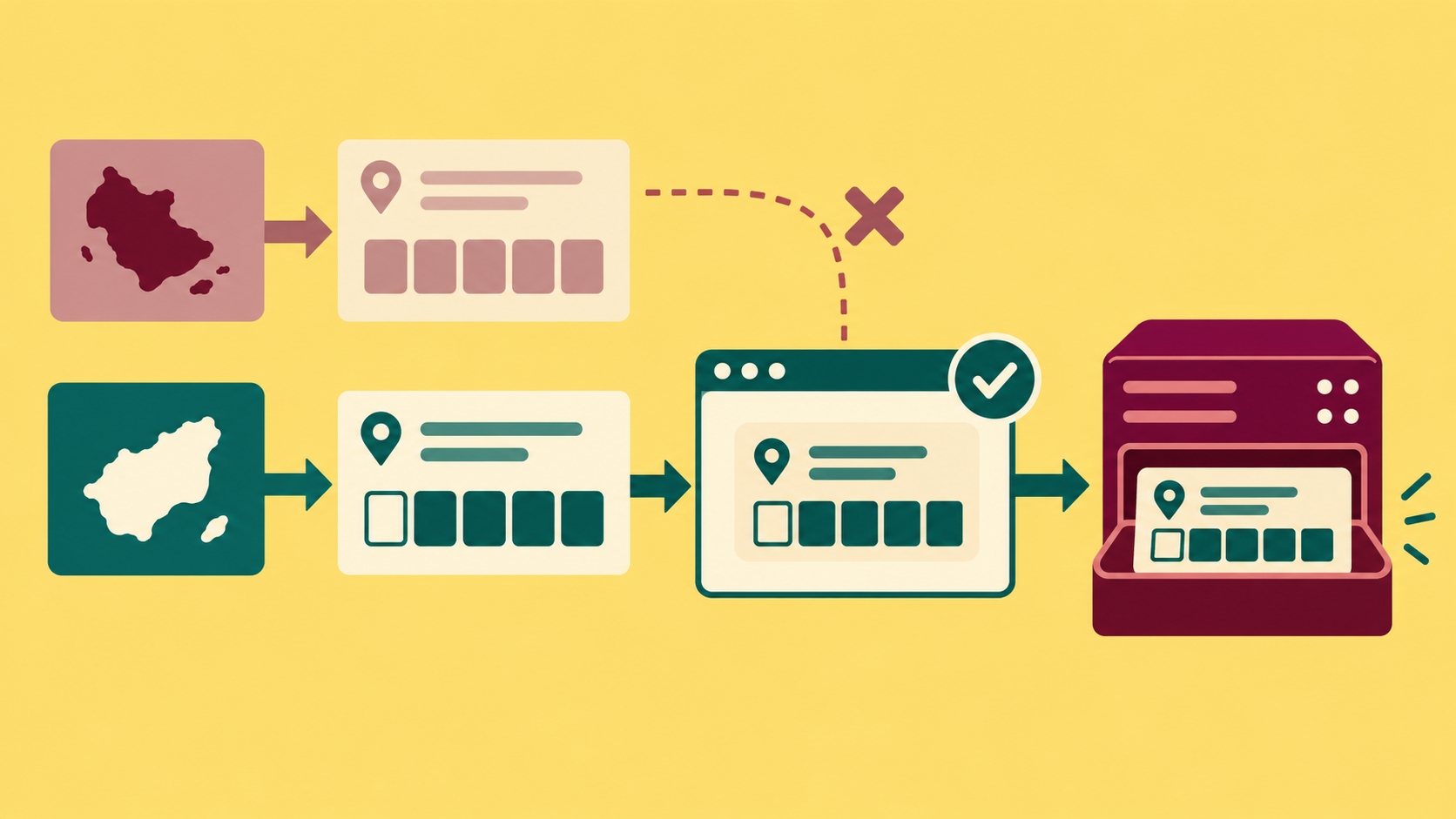
1. Agree on the country and postal-code contract
Write down how the initial country is chosen: an explicit account preference, a saved form value, a market URL or an IP-based default. Define the precedence with the product owner. A proxy exit should not silently override an explicit delivery-country choice unless that is the documented behavior.
For each supported country, obtain approved synthetic fixtures from your application's rules: one valid example, one invalid example, and a boundary case involving spaces, case or a leading zero. Add an empty value case where the product explicitly permits it. Do not assume all countries require postal codes or share a numeric length.
Separate format acceptance from a real address lookup, delivery coverage, identity checks and checkout eligibility. A pattern match proves none of those business outcomes. Keep this test before live ordering and disable email, shipping and payment side effects in the staging receiver.
2. Freeze the baseline before switching regions
- Record the browser version, application build, test account state, locale, market URL and selected country.
- Use an approved route and inspect the initial field label, required state and the application's declared country rules.
- Enter the valid fixture through the visible UI and invoke the normal submit control against staging.
- Record browser validation, whether a request was sent, the country and postal value received, and the receiver's decision.
- Repeat with the invalid fixture and confirm the expected rejection boundary. Do not infer the boundary from the error's translated wording alone.
Keep the proxy route fixed within one form case. The 98IP dynamic residential IP page identifies a product for authorized regional route testing. Use the API configuration page to check the current connection method and account options. These pages do not define your destination's country rules or guarantee an exit remains unchanged for a whole workflow.
3. Exercise the country-change sequence
Use a two-country sequence instead of testing only a fresh page. Enter a fixture for country A, change the visible selector to B, wait for the application's explicit rules-ready state within a fixed deadline, then replace the postal value with B's approved fixture. Check that the country sent to staging is B.
Test both clearing and retaining the old postal value according to the product specification. If retained, the old value must be revalidated under B's rules. Then return to A and enter A's valid fixture again. A custom error left over from the earlier country must not keep a now-valid field blocked.
Repeat the same sequence on the approved proxy route while holding account preference and locale constant. Next vary those settings one at a time if they are in scope. Changing region, language, account and input together makes the cause unidentifiable.
4. Locate the first failing boundary
Use four columns: selected country and rule version; browser field validity; submitted country/value; server decision. If the browser blocks before a request exists, this is not evidence that the proxy dropped a POST. If the request contains A after the UI shows B, investigate application state or serialization. If staging receives B and the intended value but rejects it, inspect server rules and fixture expectations.
MDN documents native constraint checks and application-defined custom validity. A nonempty custom validity message keeps a field invalid until it is cleared. Native form checks also do not replace server validation. Record the relevant validity flags and custom error state, without dumping personal data.
Use the normal user submission path. Calling the form's submit() method directly can bypass browser constraint validation, so it is an unsuitable substitute for this acceptance case. A separate authorized server-validation test may send invalid fixtures directly to staging, but label it separately and never disable production protections to obtain a pass.
5. Preserve postal data deliberately
Agree on normalization before comparing results. If the product uppercases a postal value or removes an approved space, compare the expected canonical string as well as the original input. Do not convert postal identifiers to numbers merely because one country's fixtures contain digits; leading zeros can carry meaning.
For an intentionally synthetic example, a fixture value of 01234 becoming 1234 is a data-preservation failure if the contract requires the original five-character identifier. This example is not a claim that either value is a deliverable address. Test copy/paste and ordinary typing separately if the application processes their events differently.
Check that the rejection message identifies the field and provides a usable correction path in the selected language. Verify the message belongs to the current country, then correct the value and submit once. A stale error, an invisible field holding the old country or a disabled submit button after correction is a failed case even if a screenshot looks localized.
6. Run a small fault matrix
- Valid A then valid B: the intended country/value reaches staging and the expected decision is recorded.
- Invalid A then valid B: an old custom error does not prevent recovery.
- B rules never become ready: stop at the fixed deadline and report an incomplete case; do not submit using A's rules.
- UI shows B but the request carries A: flag serialization/state mismatch before attributing the failure to transport.
- Browser accepts an invalid B fixture: staging still enforces its approved rules and avoids downstream side effects.
These are proposed tests, not reported measurements. Retain a case ID, fixture version, route label, country sequence, first failed boundary and sanitized receiver evidence. Do not claim a conversion increase or proxy fault rate from this small acceptance matrix.
FAQ and release checklist
Does the exit country prove the correct address rules loaded? No. Inspect the selected delivery country and rule state separately.
Does browser acceptance prove the address can receive delivery? No. Format, server acceptance and business eligibility require separate criteria.
- Country precedence and fixture expectations are documented.
- A-to-B-to-A switching and invalid-to-valid recovery both pass.
- Browser blocking is distinguished from a sent request and server rejection.
- Leading zeros and approved normalization are preserved.
- Messages and correction paths match the active language and country.
- Only staging, synthetic data and authorized routes are used; credentials and personal addresses stay out of reports.
Related Recommendations
- Audit Proxy Data Residency Before You Buy: A Vendor Evidence Playbook
- Proxy Bandwidth Cost Estimation: Budget by Useful Results, Not Price per GB
- How to Build a Proxy Support Escalation Packet Without Leaking Credentials
- Proxy IP Whitelist Not Working in the Cloud? Check the Source Before the Exit
- Proxy PAC Failover Test: Verify Routing, Standby Order and DIRECT Safety
- Shared vs Dedicated Proxies: A Procurement Acceptance Test
- How to Rotate Proxy Credentials Without Breaking Production
- How to Test gzip and Brotli Integrity Through a Proxy
- How to change the IP address of a computer: It is actually very simple to follow these steps
- Browser High-Speed Proxy IP: Detailed Selection and Usage Guide