
A regional proxy test can download a CSV successfully and still deliver the wrong report. A spreadsheet may silently turn a product identifier into a number, split a decimal value into two columns, or hide an encoding problem. Accept the downloaded data against a small known dataset before approving the export workflow.
This guide is for teams testing their own reporting application or an explicitly authorized environment. It describes a repeatable acceptance procedure, not a report of measured 98IP results. A proxy supplies a route for the test; it does not define the export language, CSV dialect, or business data.
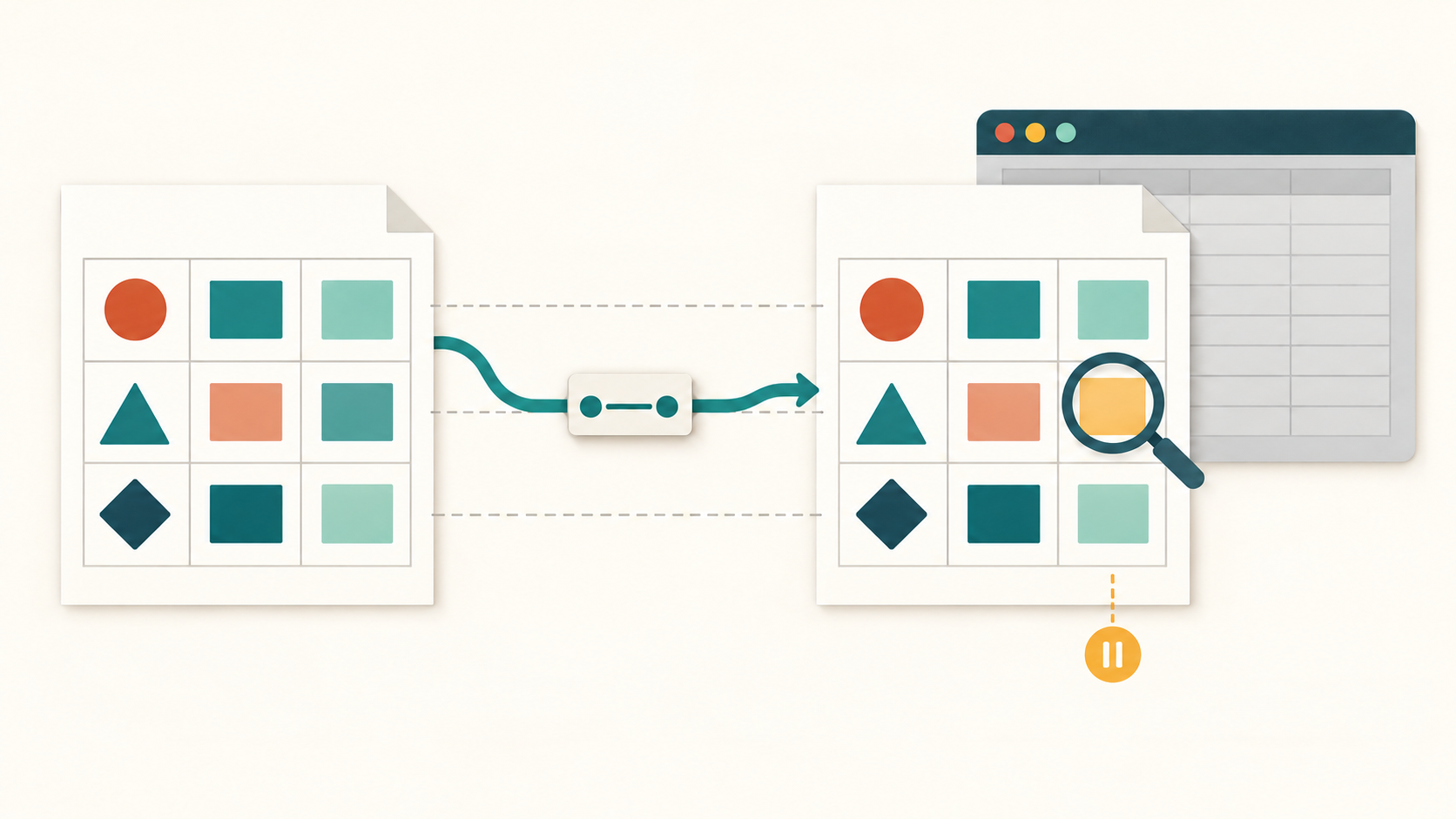
1. Define the export contract before selecting a region
Write down the authorized tenant, user role, filters, date range and timezone, dataset snapshot, and whether the button exports selected rows, the current page, or every matching record. Freeze these values for the comparison. A page showing ten rows is not proof that a ten-row export is complete.
Specify the expected encoding, optional byte-order mark, delimiter, quoting rules, header order, and treatment of empty values. Decide whether this is a machine-readable export with stable column names or a localized human-facing report. A semicolon-separated export may be intentional; compare it with the agreed contract rather than assuming every file must use commas.
2. Build a tiny dataset that exposes silent changes
In a staging tenant, prepare three records with stable keys A01, A02, and A03. Include a text identifier such as 00123, a name containing both accented and Chinese characters, and a note containing a comma, a double quote, and an actual line break. Include an empty optional field and an amount with an explicit currency. Save the exact expected field values in a trusted fixture manifest outside the downloaded file.
For a machine export, choose and document an unambiguous decimal representation such as 1234.50 with a separate currency column. If the product deliberately localizes amounts or dates, define that representation per locale. Do not decide whether 1,234 is a decimal or a thousands-grouped number by appearance alone.
3. Separate route changes from locale changes
- Run the baseline using the fixed account, fixture snapshot, filters, and browser settings. Record the application language and export options.
- Repeat through one selected proxy region while keeping those settings fixed. Confirm the test browser uses the intended route and record the export request host and final download host. A separate download process may have different proxy settings.
- If language behavior is in scope, make a separate run changing only the application locale. Label route-only and locale-only runs separately; add combined cases only after those controls are understood.
- Use the same session for a single export transaction. If the application builds reports asynchronously, retain the job identifier and download that exact authorized job output instead of clicking again when it is slow.
Use the 98IP residential proxy product page when choosing regional routes for this comparison. Confirm current region availability and session options in your actual configuration. The website testing use case provides the relevant context. Neither page establishes that a particular export application is compatible or that a successful route guarantees correct CSV data.
4. Preserve the downloaded bytes before opening a spreadsheet
Save each file in its own run directory with a locally assigned name. Record response status, final host, response media type, byte count, and the job or request identifier available from your application. Remove credentials, signed query strings, cookies, and personal data from shared evidence. An HTML login page saved with a .csv extension must fail acceptance even if its request returned 200.
Keep an untouched copy and, if available, calculate a cryptographic hash to identify the captured artifact. A different hash does not itself prove incorrect business data: line endings, a BOM, or an allowed timestamp may differ. Conversely, an unchanged filename says nothing about the contents. Never resave the original in a spreadsheet before the byte-level check.
5. Decode, parse, and compare in that order
- Decode using the declared export encoding with strict error handling. Treat replacement characters or decoding errors as evidence to investigate. Handle a BOM according to the contract so it does not become part of the first column name; do not assume a BOM is always required.
- Use a CSV-aware parser configured with the documented delimiter and quote rules. For Python, open the text file with an explicit encoding and newline='' before passing it to csv.reader. The reader normally returns strings, which helps preserve identifiers. Do not use split(',') or count physical lines: a quoted field can contain both commas and line breaks.
- Compare header names and order, then require the expected field count in every logical record. Match records by A01/A02/A03 and compare every fixture field as text before any intended numeric or date conversion. Check exact key coverage, duplicates, empty-field semantics, identifier zeros, Unicode names, notes, amounts, currency, and date boundaries.
- Only normalize differences explicitly allowed by the contract. Compare row order when the product promises it; otherwise compare the keyed records. Log excluded volatile columns so an overly broad normalization cannot hide the failure.
6. Test the intended spreadsheet import separately
After parser acceptance, import a copy through the spreadsheet application's explicit text/CSV import workflow. Set the delimiter and encoding and force identifiers to text where the importer supports it. Record the actual application version and import settings. If a normal double-click changes 00123 to 123, report that consumer-path problem separately from the preserved file's raw value.
Do not enable macros or follow external links while inspecting a test export. Keep fixtures inert, and follow your application's established handling of untrusted spreadsheet cells. This check does not certify that all spreadsheet programs or settings will interpret the file identically.
7. Prove the acceptance check can fail
On local copies of the staging fixture only, introduce three controlled failures: change a known Unicode name, remove one record, and change the note so an embedded line break no longer survives parsing. The acceptance check should identify the affected key or field. Then restore the correct export and rerun. These are suggested validation exercises, not tests claimed to have been executed here.
If only the proxy run fails, compare the retained response and job evidence before replacing the IP. If the raw file is correct but import differs, investigate import settings. If both routes export the wrong keys, inspect export scope and dataset state. If only a locale run differs, check the locale contract. None of these patterns alone proves the root cause.
FAQ and release checklist
Does HTTP 200 mean the report passed? No. Transport, file format, record coverage, field values, and the intended import workflow are separate acceptance decisions.
Must every region produce identical bytes? Only when the contract requires that. Compare documented semantic values and separately explain permitted presentation differences.
- Known fixture and export scope are frozen; route and locale variables are labeled.
- Original bytes are retained; actual content is CSV rather than a login or error document.
- Strict decoding, configured parsing, key coverage, and field comparisons pass.
- Target spreadsheet import is checked without altering the original evidence.
- Failures have reproducible evidence and the corrected case passes the same checks.
Limit this work to authorized accounts, approved regions, and synthetic or minimized data. Respect application rate limits and download permissions; a regional proxy does not authorize access to another tenant's report. Delete retained exports under your data retention policy and never publish session secrets in a support ticket.
Related Recommendations
- How to Test Proxy Connection Pool Age and Safe Reuse
- Resources Blocked Through a Proxy? Separate CSP from Network Failure
- One Proxy Project Never Starts? Test Queue Isolation Before Adding Capacity
- Proxy 429 Rate-Limit Handling: Respectful Recovery Without Wasting Requests
- Retry-After Through a Proxy: Test Seconds, HTTP Dates and the Actual Dispatch Boundary
- How to set up a computer to access the Internet with dynamic IP? What is the use of dynamic proxy IP?
- How to Capacity-Plan Proxies for 200 Parallel Browser Sessions
- Proxy NDJSON Streams: Test Read Boundaries Before Blaming Missing Records
- How to Isolate TLS Trust Profiles in Reused Proxy Clients
- How to Test Residential Proxy ASN Targeting Before You Buy